What's new on Ehdaa
Features that keep you close to your loved ones' occasions and keep your list accurate. Your link hasn't changed and all your gifts and reservations are as they were.
Family circle
Open a loved one's link and tap “Add to my circle”. “My circle” shows all their upcoming occasions, nearest first, and your dashboard shows what's coming up. Adding is private — nobody knows you added them, and only public occasions appear.
Open my circle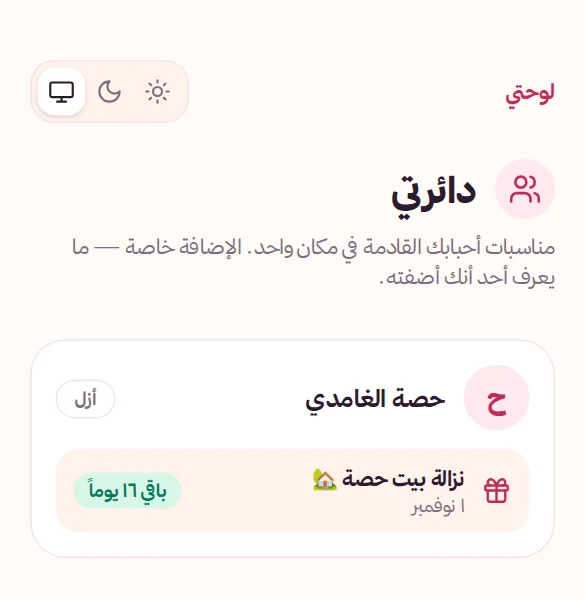
“Remind me” for your guests
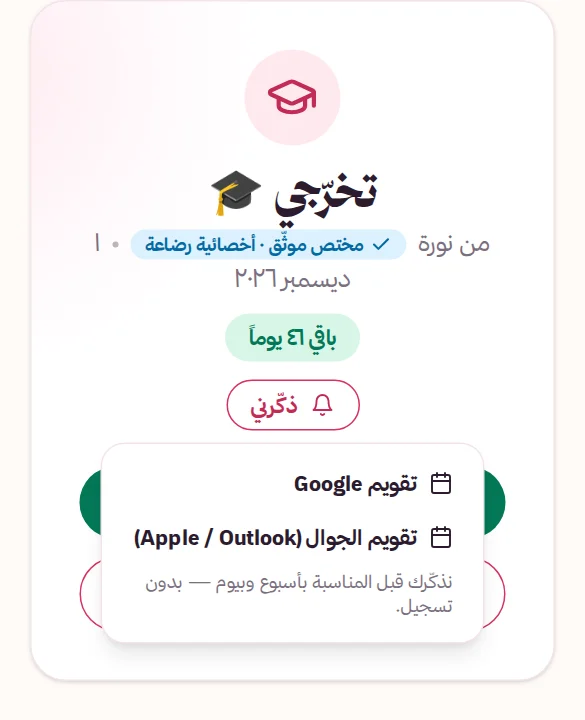
Every dated occasion page has a “Remind me” button that adds it to Google Calendar or the phone calendar in one tap, reminding your guest a week and a day before with a link to your list — no sign-up.
Price dropped? Out of stock? We'll show it
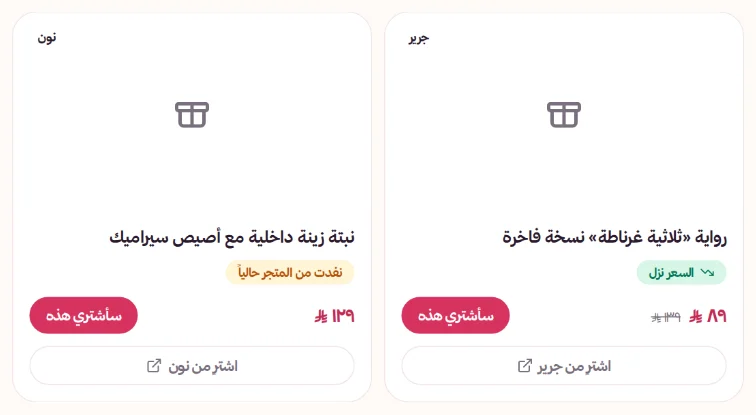
We keep an eye on your gifts' store prices automatically. If a price drops, a “Price dropped” badge shows with the old price struck through; if it sells out, “Out of stock at the store” shows so guests know before they reserve.
Get started in 3 steps
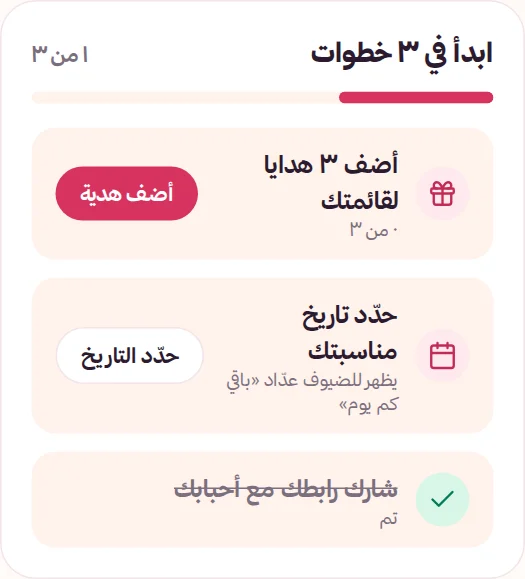
Your dashboard has a short checklist that gets your list ready to share: add 3 gifts, set your occasion date and share your link on WhatsApp. It disappears once you're done.
Dark mode
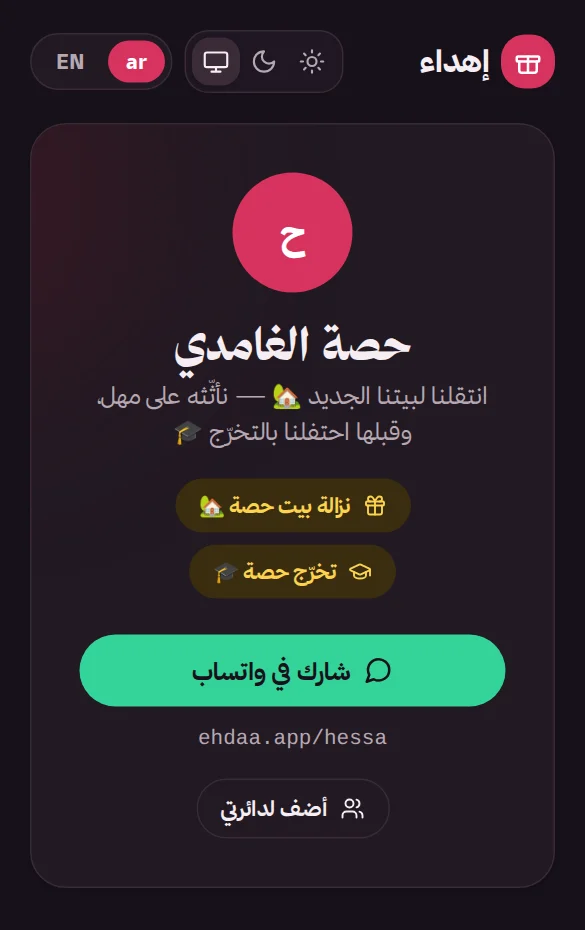
Light, dark or follow your device — from the switch at the top of every page, instantly.
In the previous update
Mulhim — your smart gift helper
Tell it who it's for, what they love and your budget, and get ideas with shopping links. Guests can ask it inside your list, and you can tap “Complete my list” for ideas that match your taste.
Greeting cards
Guests write greetings from your occasion page, or ask Mulhim to write them in Arabic or English. They land in your dashboard and you decide: wait for approval or show right away. Mulhim reviews every card and holds anything abusive.
A page and link for every occasion
Every occasion has its own page and link. For each one choose: shown on your page or private link only (e.g. for colleagues), and gifts only, greetings only, or both — from “Occasion settings”.
Greetings-only occasions
Not every occasion needs a gift list — create one just for greetings and let your loved ones write on a lovely page.
One gift in several occasions
Same gift in the family list and the colleagues list? “Import a gift from another occasion” and pick “Linked” — reserve it anywhere and it's reserved everywhere.
Memories
When the occasion is over, turn it into a memory: reservations close and its page keeps its greetings and gifts, listed on your page under “Memories”.
An icon for every occasion
Name your occasion freely and pick one of our line icons (wedding, graduation, newborn, home, Eid…) — it looks the same on every device, in Ehdaa colours.
Ready to try it?