Mulhim
Tell me who it's for and what they love — I'll give you 6 ideas that truly fit.
How to use Mulhim
Three ways — all free, all from your phone.
1. Guests: Mulhim inside a gift list
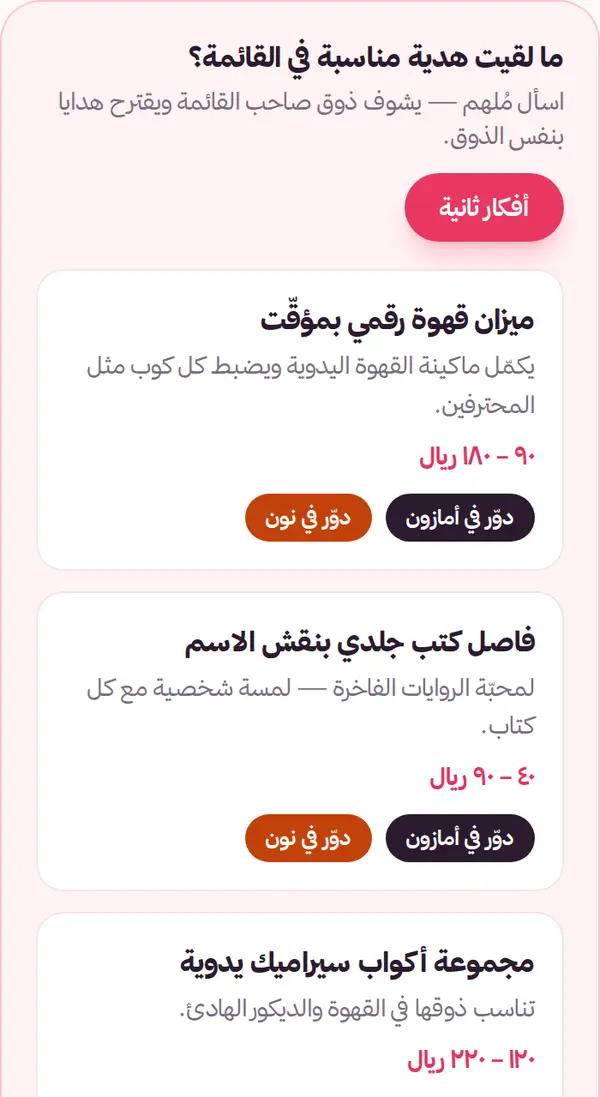
Open your friend's list link, scroll below their gifts and tap “Ask Mulhim ✨”. It reads the list's taste and suggests similar gifts, with Amazon and noon search links.
2. Send the list owner a greeting card
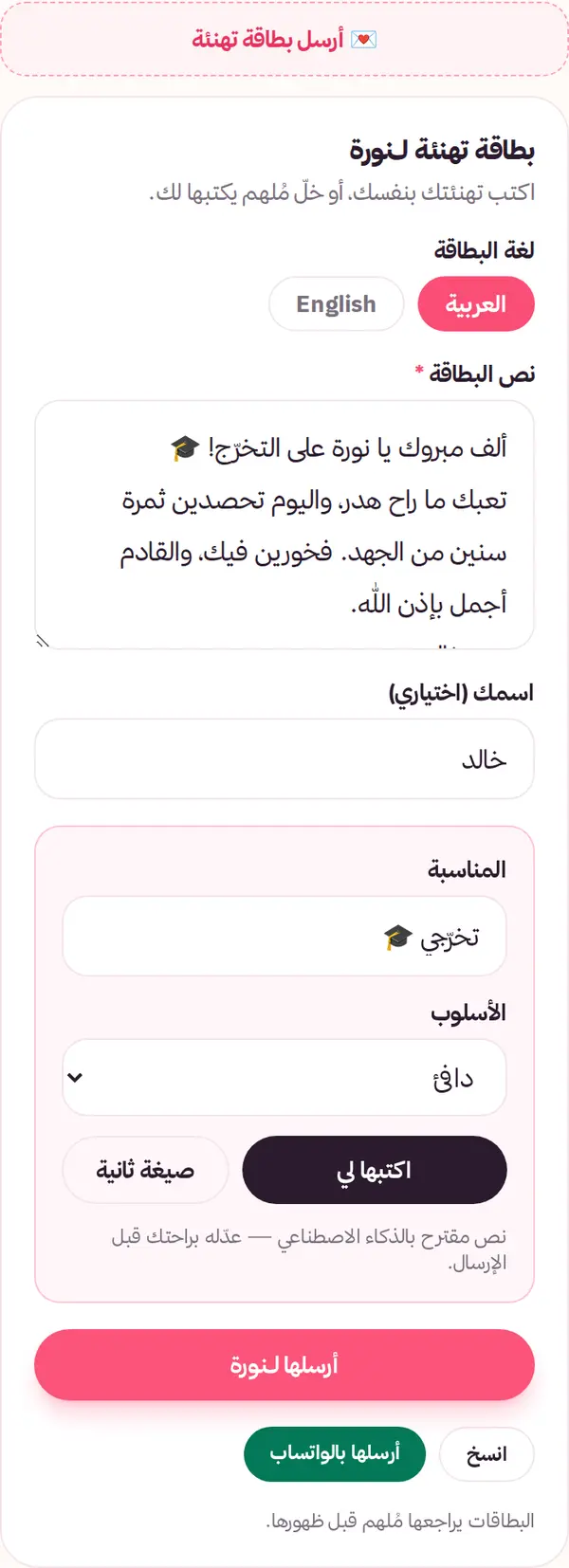
In the page’s “Greetings” section (or the “Write a greeting” button at the top) tap “Write a greeting”. Write it yourself, or tap “Want Mulhim to write it?” and pick the language (Arabic or English) and tone, then edit as you like. Tap “Send” — it reaches the list owner; you can also copy it or share it on WhatsApp.
3. List owners: “Complete my list”
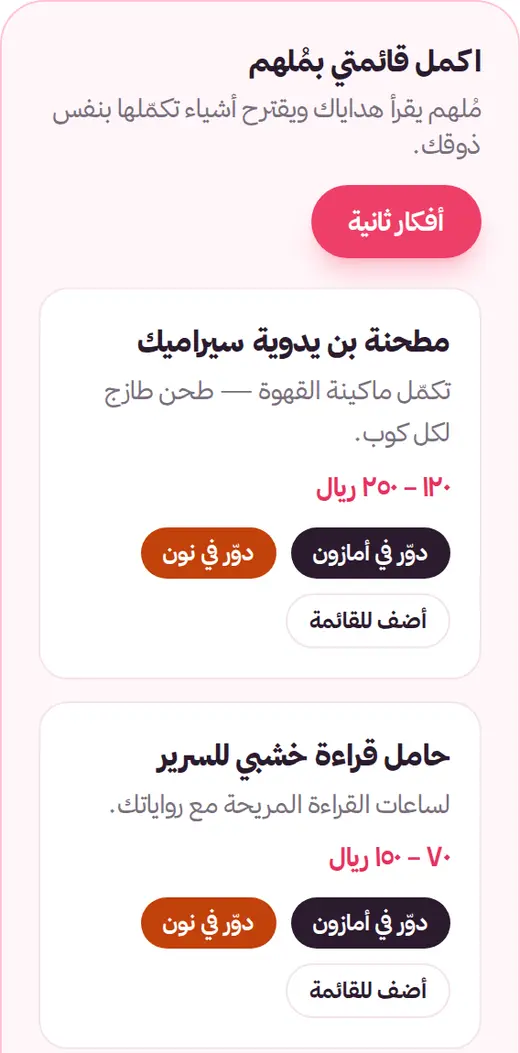
In your dashboard, under each occasion tap “Complete my list ✨”. Mulhim reads your gifts and suggests complementary ones; “Add to list” fills the gift name into the add form — review and save.
4. Your cards, your call
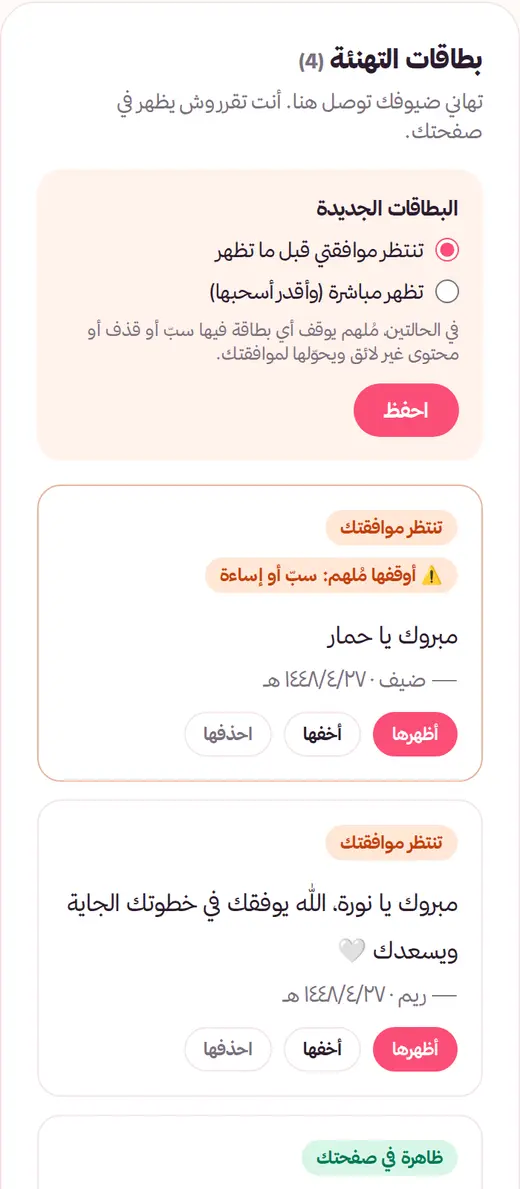
Every card lands in “Greeting cards” in your dashboard (plus an email). Choose: wait for your approval, or show right away and pull any card later. Either way, Mulhim reviews each card and holds anything with insults, slander or inappropriate content for your approval.
Found an idea? Let your loved ones know what you want
Create your free gift list and share it on WhatsApp — guests reserve gifts with no duplicates.
Create your list